
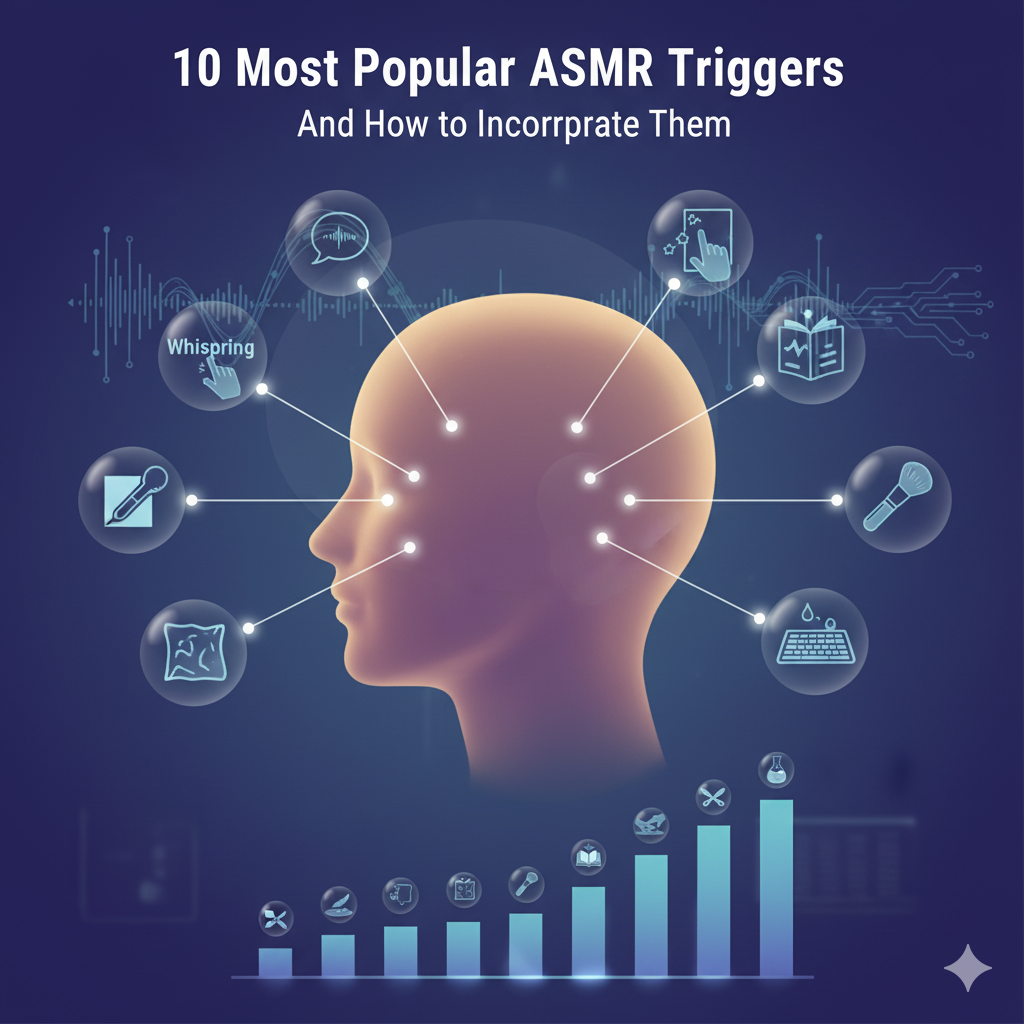
AI ASMR Tutorial: Create Your First AI ASMR Video in Under 10 Minutes (2026)
🧑⚕️ Author Bio
Jessica Park is a professional ASMR content creator with over 800,000 subscribers on YouTube. She's been teaching ASMR video production for 4 years and has helped over 2,000 creators launch successful channels through her online courses.
🧭 Introduction
You've seen those insanely satisfying AI ASMR videos blowing up on TikTok and YouTube — the glass fruit cutting, the impossible slime transformations, the crunchy crystal candies. And you want to make your own. Good news: this AI ASMR tutorial will take you from zero to your first published video in under 10 minutes. No editing experience, no equipment, no subscription required. I've taught over 2,000 creators this exact process, and it works every single time. Follow along step by step.
📑 Table of Contents
AI ASMR Tutorial: Create Your First AI ASMR Video in Under 10 Minutes
This isn't a theory guide. This is a hands-on AI ASMR tutorial — you'll follow along, create real videos, and have publishable content by the end. Every section builds on the previous one, so start from the top and work through each part in order.
Ready? Let's create something satisfying.
What You'll Learn in This Tutorial
By the end of this AI ASMR tutorial, you will have:
- ✅ Created at least one AI ASMR video from scratch
- ✅ Understood how to write prompts that produce stunning results
- ✅ Learned to enhance audio for maximum ASMR effect
- ✅ Edited and optimized a video for TikTok/YouTube Shorts
- ✅ Published your first piece of content
Time required: 10-30 minutes depending on how many exercises you complete.
Cost: $0 — everything in this tutorial uses free tools.
If you're completely new to ASMR, spend 5 minutes reading what ASMR is first. Otherwise, let's dive in.
Before You Start: Quick Setup Checklist
Open these tabs in your browser before we begin:
| Tool | What It's For | Link |
|---|---|---|
| AI ASMR Generator | Creating your videos | Open Generator |
| ASMR Prompt Generator | Getting prompt ideas | Open Prompt Tool |
| CapCut (or DaVinci Resolve) | Quick editing | capcut.com |
That's it. Three tabs. Let's go.
Tutorial Part 1: Your First AI ASMR Video (5 Minutes)
This is the fastest path to your first video. Follow every step exactly.
Step 1: Open the Generator
Go to the free AI ASMR generator. You'll see a text box for your prompt and category options.
Step 2: Choose a Category
For your first video, pick glass fruit cutting. Here's why:
- It's one of the most viral AI ASMR categories
- The prompts are simple and forgiving
- Audiences love it across every platform
Want to see examples first? Browse our glass fruit cutting gallery.
Step 3: Enter This Exact Prompt
Copy and paste this into the prompt box:
Crystal glass watermelon being slowly sliced in half with a sharp knife, revealing sparkling ruby gemstone interior, soft ambient lighting, close-up macro shot, satisfying cutting sound, ASMR
Step 4: Generate
Click generate and wait for your video. This typically takes 30 seconds to 2 minutes.
Step 5: Review Your Result
Watch the generated video. Ask yourself:
- Is the cutting motion smooth and satisfying?
- Does the interior reveal look appealing?
- Is the audio crisp?
If it looks good — congratulations, you just created your first AI ASMR video! Download it.
If it's not quite right — don't worry, that's normal. Skip ahead to Part 2 for techniques to improve output quality, then come back and regenerate.
🎯 Tutorial Checkpoint: You should now have one downloaded AI ASMR video file. If you do, move to Part 2.
Tutorial Part 2: Improving Your Output Quality
The difference between mediocre and viral AI ASMR content is 90% in the prompt. Here's how to level up.
The ASMR Prompt Formula
Every great AI ASMR prompt follows this structure:
[Subject] + [Action] + [Material/Texture Detail] + [Interior Description] + [Lighting] + [Camera Angle] + [Sound Description] + [Quality Modifier]
Exercise: Upgrade Your First Prompt
Let's take your watermelon prompt and make it better:
Basic (what you used):
Crystal glass watermelon being slowly sliced in half with a sharp knife, revealing sparkling ruby gemstone interior, soft ambient lighting, close-up macro shot, satisfying cutting sound, ASMR
Upgraded:
A perfectly symmetrical crystal glass watermelon with delicate green glass rind is slowly sliced in half by a gleaming silver knife, revealing a breathtaking interior of layered ruby and pink gemstones, light refracting through each crystal layer creating rainbow sparkles, extreme macro close-up, soft warm studio lighting from the left, crisp clean cutting sound with gentle glass resonance, 4K cinematic quality, deeply satisfying ASMR
What changed:
- Added symmetry and color details for the subject
- Described the knife (gleaming silver)
- Added layered detail to the interior
- Specified light refraction effects
- Noted the lighting direction
- Enhanced the sound description
- Added quality modifiers
Exercise: Write Three Prompts of Your Own
Using the formula, write prompts for:
- A glass pineapple being sliced — Describe the leaf crown, the golden interior, the camera angle
- A frozen chocolate bar being crushed — Describe the ice crystals, the breaking pattern, the sound
- A leather boot transforming into slime — Describe the texture change, the colors, the dripping
Need help? The AI ASMR prompt generator will create optimized prompts for any category. Or study our full AI ASMR prompts guide for 50+ tested templates.
Generate All Three
Paste each prompt into the generator, create three videos, and download them all. You now have four videos — enough for a strong start.
🎯 Tutorial Checkpoint: You should now have 4 downloaded AI ASMR videos. Moving on to audio.
Tutorial Part 3: Adding and Enhancing Audio
Many AI generators include basic audio, but understanding audio is crucial for ASMR quality.
Audio Check: What to Listen For
Put on headphones and listen to your generated videos:
- Good: Crisp, clear trigger sounds (cutting, crunching) with minimal background noise
- Needs work: Muffled sounds, distracting artifacts, or audio that doesn't match the visual
Option A: The Audio is Good Enough (Most Common)
For short-form content (TikTok, Shorts), the built-in audio from AI generators is usually sufficient. Move to Part 4.
Option B: Enhance the Audio
If you want to improve the audio:
Add ambient background:
- Download a free ambient track (rain, white noise) from Freesound.org
- Import into your video editor (see Part 4)
- Set the ambient volume to 10-15% of the main audio
- This creates an intimate ASMR atmosphere
Add AI-generated narration (for voice ASMR):
- Write a short script with the ASMR script generator
- Generate whisper audio using the ASMR voice generator
- Layer it over your visual in the editor
Audio golden rules for ASMR:
- Never let audio peak above -6dB
- Leave natural silence gaps — silence is part of ASMR
- Low-frequency ambient (rain, hum) at very low volume adds depth
- Binaural effect: slightly offset left/right channels if your editor supports it
🎯 Tutorial Checkpoint: Your audio is ready. Time to edit.
Tutorial Part 4: Quick Editing for Maximum Impact
This is the editing workflow that takes 2-3 minutes per video.
The 3-Step ASMR Edit
Step 1: Trim (30 seconds)
- Open your video in CapCut or DaVinci Resolve
- Cut any AI artifacts at the beginning and end (loading frames, glitches)
- Find the most impactful moment and make sure it appears in the first 1-2 seconds
Step 2: Format (30 seconds)
- For TikTok/Shorts: Set aspect ratio to 9:16 (1080×1920)
- For YouTube: Keep at 16:9 (1920×1080)
- Crop or letterbox as needed
Step 3: Enhance (1-2 minutes)
- Boost saturation slightly (+10-15%) — ASMR viewers love vivid colors
- Add a subtle text hook in the first frame: "Watch this glass watermelon get sliced 🔪✨"
- Add your channel watermark if you have one
- Optional: Add a very subtle fade-in/fade-out (0.3 seconds each)
Export Settings
| Platform | Resolution | FPS | Format |
|---|---|---|---|
| TikTok | 1080×1920 | 30 | H.264 |
| YouTube Shorts | 1080×1920 | 30 | H.264 |
| YouTube (long) | 1920×1080 | 30 | H.264 |
| Instagram Reels | 1080×1920 | 30 | H.264 |
Exercise: Edit All Four Videos
Go through the 3-step process for each of your four videos. Export them all.
Time check: You should be at around 10-15 minutes total at this point.
🎯 Tutorial Checkpoint: You have 4 edited, export-ready AI ASMR videos. Let's publish them.
Tutorial Part 5: Publishing and Optimization
Creating the video is half the battle. How you publish determines if anyone sees it.
Upload to TikTok (Your First Platform)
TikTok gives AI ASMR content the fastest feedback. Upload here first.
Title/Caption formula:
[Hook Emoji] [What Happens] [Reaction Prompt]
Examples for your videos:
- "🔪 Slicing this glass watermelon is SO satisfying 😍 #ASMR #satisfying #oddlysatisfying"
- "🍍 When the glass pineapple reveals crystal inside... 🤯 #ASMR #glasscut #satisfying"
- "🧊 Crushing frozen chocolate hits different ❄️ #ASMR #crushing #oddlysatisfying"
- "👢 Wait for the slime transformation 🤤 #ASMR #slime #transformation"
Hashtags to always include:
- #ASMR #satisfying #oddlysatisfying #relaxing
- Plus 2-3 category-specific: #glasscut #foodasmr #slime etc.
Upload to YouTube Shorts
Repurpose the same videos. YouTube has higher CPM, so the same content earns more.
Title formula (YouTube):
[Trigger Type] ASMR | [Specific Detail] [Modifier]
Examples:
- "Glass Watermelon Cutting ASMR | Satisfying Crystal Reveal"
- "Frozen Chocolate Crush ASMR | Slow Motion Ice Crunch"
For the complete YouTube strategy, read our ASMR YouTube channel guide. For TikTok specifics, see our AI ASMR TikTok guide.
Exercise: Publish at Least 2 Videos
Upload at least 2 of your 4 videos to TikTok right now. Don't overthink it — imperfect but published beats perfect but sitting on your phone.
🎯 Tutorial Checkpoint: You've published your first AI ASMR content! The rest of this tutorial covers advanced techniques.
Tutorial Part 6: Creating Voice-Based AI ASMR
Visual ASMR is the fastest to create, but voice ASMR unlocks a massive additional audience — especially for long-form sleep and relaxation content.
Exercise: Create a 1-Minute Whisper Video
Step 1: Generate a script Go to the ASMR script generator and generate a short relaxation script. Or use this one:
"Close your eyes and take a deep breath... That's it... Let your shoulders drop... Feel the tension leaving your body... You're safe here... There's nothing you need to do right now... Just breathe... In... and out... Each breath takes you deeper into relaxation... The world outside can wait... This moment is just for you..."
Step 2: Generate the whisper audio Paste the script into the ASMR voice generator. Select a soft, whisper-style voice. Download the audio.
Step 3: Generate a matching visual Use the AI ASMR generator with this prompt:
"Soft candlelight flickering in a dark room, gentle warm glow, silk curtains swaying slightly, peaceful nighttime atmosphere, cinematic quality, deeply calming and intimate ASMR mood"
Step 4: Combine in your editor Layer the whisper audio over the visual. Adjust voice volume so it feels intimate but clear.
Step 5: Upload to YouTube Voice ASMR performs best on YouTube as longer-form content. Title it something like: "ASMR Whisper for Sleep | Gentle Relaxation & Positive Affirmations 🌙"
Learn more about the AI voice creation workflow in our ASMR voice generator guide and the full ASMR whisper AI voice tool.
Tutorial Part 7: Batch Creation Workflow
Now that you know the basics, here's how to create content efficiently.
The 1-Hour Batch Session
Instead of creating one video at a time, batch your workflow:
| Phase | Time | Action |
|---|---|---|
| Prompt writing | 10 min | Write 8-10 prompts using the prompt generator |
| Generation | 15 min | Generate all videos (start one, write next prompt while it processes) |
| Review & select | 5 min | Watch all outputs, discard any that aren't satisfying |
| Editing | 20 min | Batch edit all keepers (trim, format, enhance) |
| Publishing | 10 min | Schedule uploads across platforms |
Result: 6-8 ready-to-publish videos in about 1 hour.
Exercise: Run Your First Batch
Set a timer for 1 hour and work through the batch workflow. Use these prompts to get started:
- Glass sushi roll being sliced with a chef's knife
- Frozen crush — ice ball in a hydraulic press
- Crystal candy being bitten and crunched
- Minecraft block being sliced with a real knife
- Lava rock being crunched and crumbled
- Slime transformation — shoe becoming slime
- Keyboard ASMR — mechanical keys close-up
- Toast spread — butter melting on hot toast
For more content concepts, browse our 100+ AI ASMR ideas guide.
🎯 Tutorial Checkpoint: You should now have 6-8 additional videos. That's nearly 2 weeks of daily content!
Tutorial Part 8: Advanced Prompt Techniques
Once you're comfortable with the basics, these advanced techniques will set your content apart.
Technique 1: The Contrast Hook
Create a dramatic contrast in your prompt to maximize visual interest:
"A dull, rough, dirty rock being cracked open to reveal a stunning interior of perfect amethyst crystals, extreme contrast between ugly exterior and breathtaking interior, dramatic reveal, gasp-worthy ASMR"
The ugly-to-beautiful contrast is irresistible in feeds.
Technique 2: The Impossible Scenario
AI can create things that don't exist in reality — this is your unfair advantage:
"A full-size working piano made entirely of transparent glass, being played with visible sound waves rippling through the glass body, each key lighting up as it's pressed, impossible physics, deeply satisfying"
Explore more impossible concepts in our gallery: impossible couch, impossible bed.
Technique 3: The Sensory Stack
Layer multiple sensory details for richer content:
"Thick golden honey slowly pouring over a stack of warm crispy waffles, steam rising, butter melting on top, honey dripping off the edges in slow motion, warm morning light, close-up detail showing every waffle pocket filling with honey, satisfying viscous pour sound"
This prompt engages sight (golden color, steam), touch (warmth, texture), and sound (pour, crunch).
Technique 4: The Scale Shift
Play with unexpected scale for viral appeal:
"Enormous 6-foot gummy bear being sliced with a giant sword, the interior is perfectly detailed with gummy texture, wobbling as it falls apart, exaggerated scale, ASMR cutting sound amplified"
Technique 5: The Series Template
Create a template for consistent content series:
"[OBJECT] made of crystal glass, sitting on a white marble surface, being sliced in half with a [TOOL], revealing [INTERIOR] inside, soft studio lighting, extreme close-up, satisfying cut"
Swap the variables each day:
- Monday: Apple / knife / ruby gems
- Tuesday: Pineapple / saw / golden crystals
- Wednesday: Banana / laser / rainbow layers
- Thursday: Orange / wire cutter / amber gems
For a deep dive into prompt engineering, study our AI ASMR prompts guide and the Veo 3 JSON prompt generator guide.
Practice Exercises: 5 Videos to Create Today
Before closing this tutorial, complete at least 3 of these 5 exercises:
Exercise 1: Glass Cutting (Easy)
Generate a glass strawberry being sliced. Focus on a detailed interior description (seeds as tiny rubies, flesh as pink crystal). Edit and export for TikTok.
Exercise 2: Crushing (Easy)
Generate a frozen orange being crushed in a hydraulic press. Add a text hook: "Wait for the juice explosion 🍊". Publish to TikTok.
Exercise 3: Transformation (Medium)
Generate a sneaker transforming into galaxy-colored slime. The prompt needs to describe the transition phase carefully. Edit with slight saturation boost.
Exercise 4: Food ASMR (Easy)
Generate a close-up of biting into a crunchy crystal candy that shatters like a gemstone. Include sound description in your prompt. Publish to Shorts.
Exercise 5: Voice ASMR (Advanced)
Write a 30-second bedtime script. Generate whisper audio. Generate a matching calm visual. Combine and upload to YouTube as a short ASMR experience.
Troubleshooting Common Problems
"The AI output looks glitchy or distorted"
- Fix: Add "high quality, clean, sharp, well-defined, 4K" to the end of your prompt
- Fix: Reduce complexity — describe fewer things more specifically instead of many things vaguely
- Fix: Regenerate 2-3 times — AI output varies each generation
"The video doesn't feel satisfying"
- Fix: Slow down the action in your prompt ("slowly", "gradually", "in slow motion")
- Fix: Add detail about the reveal or transformation ("revealing a stunning interior of...")
- Fix: Ensure your prompt describes a clear beginning, middle, and payoff moment
"Audio is weak or doesn't match"
- Fix: Add specific sound descriptions to your prompt ("crisp cutting sound", "satisfying crunch")
- Fix: Layer ambient audio in your editor at low volume
- Fix: Use the ASMR voice generator to add narration or whisper
"I'm not getting views"
- Fix: The first 3 seconds of your video must be the most visually striking moment
- Fix: Add text hooks on screen ("Watch this...", "Wait for it...")
- Fix: Post at peak hours (12pm, 5pm, 9pm in your target timezone)
- Fix: Post more frequently — the algorithm rewards consistency (1-3x daily)
"I'm running out of ideas"
- Fix: Browse our ASMR gallery for 20+ categories of inspiration
- Fix: Read our 100+ AI ASMR ideas guide
- Fix: Use the AI ASMR prompt generator for instant prompts
- Fix: Check trending ASMR hashtags on TikTok for current viral formats
Next Steps After This Tutorial
You've completed the AI ASMR tutorial. Here's where to go from here:
Immediate (This Week)
- Create and publish 5 more videos using the batch workflow
- Post consistently: 1-2 videos per day on TikTok
- Read: How to Make AI ASMR Videos for Free — expanded zero-cost strategies
Short-Term (This Month)
- Analyze your first 20 videos — which categories get the most views?
- Double down on your top 2-3 performers
- Start repurposing your best TikToks to YouTube Shorts
- Read: AI ASMR Creator Guide — build your brand
Medium-Term (Months 2-3)
- Start creating long-form YouTube compilations from your best Shorts
- Apply for the YouTube Partner Program at 1,000 subscribers
- Explore sponsorship opportunities
- Read: AI ASMR Channel Guide — growth and monetization strategies
Long-Term (Months 3-6)
- Scale to multiple platforms and potentially multiple accounts
- Build a community around your content
- Diversify revenue: ads + sponsorships + memberships
- Read: ASMR YouTuber Income Guide — revenue deep dive
Frequently Asked Questions
How long does this AI ASMR tutorial take to complete?
The core tutorial (Parts 1-5) takes about 10-15 minutes. The advanced sections (Parts 6-8) and exercises add another 30-60 minutes. You can spread it over multiple sessions.
Do I need to pay for anything in this tutorial?
No. Everything uses free tools. The free AI ASMR generator, free editing software (CapCut or DaVinci Resolve), and free social media accounts are all you need.
What if my first video doesn't look good?
That's completely normal. AI generation is partly random — regenerate 2-3 times with the same prompt, or try tweaking your prompt using the techniques in Part 2. Every creator's first video is rough.
Can I do this on my phone?
Yes. The AI generator works in mobile browsers, CapCut has a mobile app, and you can publish directly to TikTok from your phone. No computer required.
What category should I start with?
Glass fruit cutting. It's the most forgiving for beginners, has high viral potential, and the prompts are straightforward. Once you're comfortable, branch into other categories from our ideas guide.
How often should I create new content?
Aim for 1 video per day minimum on TikTok. Once you're comfortable with the batch workflow, scale to 2-3 per day. Consistency matters more than perfection.
Is this the same as the other AI ASMR guides on this blog?
This tutorial is specifically designed as a hands-on walkthrough — you follow along and create videos as you read. For deeper dives into specific topics, check out our complete guide to how people make AI ASMR videos, the AI ASMR prompts guide, and the AI-generated ASMR technology guide.
Ready to go beyond this tutorial? Start with the AI ASMR creator guide to build a full ASMR brand, or explore the AI ASMR channel guide to grow your audience and monetize your content.
👩💼 About the Author
🏢 About ASMRIFY
ASMRIFY is the leading platform for AI-powered ASMR content creation. We publish expert-reviewed articles about ASMR, relaxation techniques, and content creation best practices. Our editorial team consists of experienced ASMR creators, audio engineers, and technology specialists dedicated to providing accurate, helpful information to our community of creators and enthusiasts.
Similar Articles
Get Started with Asmrify: The Complete Beginner's Guide to AI ASMR Content Creation in 2026
Learn how to get started with Asmrify and create your first AI ASMR video in under 10 minutes. Step-by-step setup guide covering video generation, voice cloning, face swap, prompts, scheduling, and monetization.
How to Make AI ASMR Videos for Free: Complete Step-by-Step Guide (2026)
Make AI ASMR videos for free with zero equipment or experience. Step-by-step guide to free tools, prompts, and publishing workflows for beginners.
ASMR Prompts: 50+ AI ASMR Prompt Templates & Examples for Every Category
Master ASMR prompts with 50+ proven AI templates. Learn prompt engineering techniques to generate stunning, tingle-inducing ASMR videos every time.